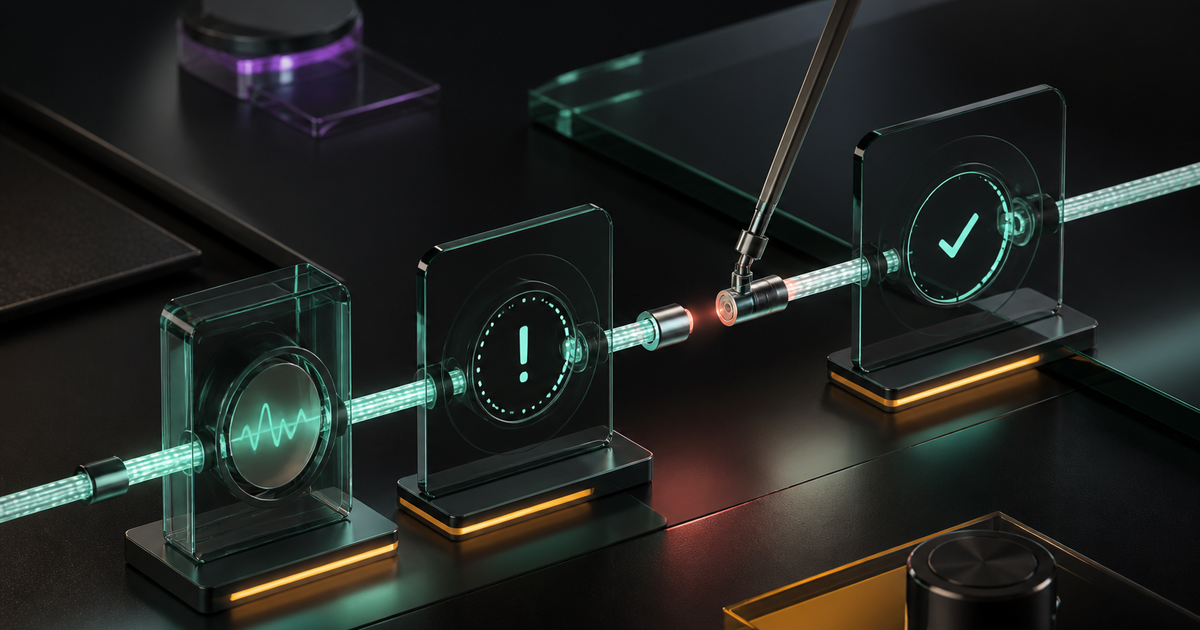
With TikTok LIVE alerts not showing, fire a test alert from the alert tool before you change anything. If the test appears in your scene, the overlay works and the tool isn't receiving your LIVE. TikFinity's setup guide traces that to connecting before the stream started, the wrong handle or a private account. If the test doesn't appear either, the browser source or Link source is at fault. If it appears with no sound, it's audio routing. Other stream faults are in the stream troubleshooting guides.
Everything here comes from the vendors' own documentation, read on 14 and 15 November 2026, including TikFinity's setup guide (last updated 4 September 2026). WaveSync hasn't installed any of these tools or tested them on a live TikTok stream.
One test splits the problem in two
| What the test shows | Where the fault is | Where to look |
|---|---|---|
| The test alert never appears in your streaming app | The overlay page or its source | The overlay section below |
| It appears but makes no sound | Audio routing in the streaming app | The silent browser source guide |
| It appears, but real Gifts and follows don't | The tool's connection to your LIVE | The next section |
TikFinity puts a test button on its overlays, sounds and actions. Its Event Simulator, at the bottom of the Actions & Events page, fires test Gifts, follows and subscriptions on demand. You don't need to be live to use it.
Watch the scene in OBS or LIVE Studio while you test, not the tool's dashboard. A preview in your web browser only tells you the page itself works.
TikTok LIVE alerts not showing for real Gifts
TikFinity's guide says the live connection only picks up once you're streaming. You can set everything up offline. The link to your LIVE room starts after you go live. If you pressed Connect before starting the stream and nothing has come through, reconnect now, with the stream running.
- The username under Setup must be the @handle from your profile, not your display name.
- The TikTok account has to be public, TikFinity's guide says.
- Duplicate execution detected means two TikFinity sessions are open. Close the desktop app or the extra browser tab, or choose Take over this session.
Some TikFinity overlays stay blank until you're connected and the first events arrive. A blank overlay before you go live isn't proof of a fault.
Streamer.bot actions that never fire
Streamer.bot doesn't read TikTok itself. Its platform support page says TikTok API support is unknown and points to a Streamer.bot integration made by TikFinity. A Gift that triggers nothing in Streamer.bot has two links to check: TikFinity's connection to your LIVE, then TikFinity's connection to Streamer.bot.
- In Streamer.bot, turn on the Websocket Server in the Server/Clients tab.
- In TikFinity, open Setup, then Streamer.bot Connection. TikFinity says the default values are fine in most cases.
- Press Test Connection. Fix this link before looking at your actions.
Streamer.bot's own TikTok page currently says only that the section is missing documentation, so TikFinity's page is the reference for this setup.
The test alert never appears
This half is the browser source or Link source. Start with the blank browser source checks, which cover the URL, the cache and the source size in OBS. TikFinity's guide adds three causes specific to alert overlays.
An empty source between alerts is normal. The OBS Knowledge Base says a browser source's default custom CSS makes the page background transparent. Only the test itself tells you whether the overlay draws.
- A cut-off link. TikFinity calls it the most common reason an overlay stays empty. Check the full URL made it into the source, then refresh or re-add the source.
- An offline notice. On a TikFinity Actions & Events screen, this only means the screen isn't in your streaming app yet. Add its URL as a source and start your stream.
- A tiny box in TikTok LIVE Studio. TikFinity says this is a LIVE Studio quirk, not an overlay setting. Delete the Link source, add it again, and set the width and height when you create it.
For Streamlabs widgets, Streamlabs' troubleshooting article (updated 30 October 2026) suggests re-adding the browser source, and turning browser hardware acceleration on or off, then restarting. It also lists resetting your API token. That gives you new widget links, so every widget URL pasted into another app has to be replaced.
Alerts show for some Gifts but not others
If a test alert works and a big Gift triggers one but a Rose doesn't, the connection is fine. A filter is choosing which events count. TikFinity's guide mentions a minimum gift value setting on overlays and Gift triggers based on coin value. An alert set to a minimum above a small Gift's value stays silent for that Gift by design.
Cooldowns do the same to repeated events. TikFinity describes global and per-user cooldowns that limit how often an action fires. A viewer sending five Gifts in a row may trigger the action once, then nothing until the cooldown ends.
Check these settings before you suspect the connection. Our rule of thumb: if any real event has come through during this stream, the tool is connected. Missing alerts are then a matter of rules, not links.
Sound alerts and text-to-speech viewers can't hear
TikFinity's sound alerts and text-to-speech don't play through the overlay. Its guide says they play inside TikFinity itself. The browser tab or desktop app has to stay open while you stream, and its audio has to be added to your streaming app as a source.
| Streaming app | What TikFinity's guide suggests |
|---|---|
| OBS Studio | Check Desktop Audio is in the Audio Mixer and moves during a test sound. To capture TikFinity alone, use Application Audio Capture (BETA) on its window; that needs OBS 28 or newer on Windows |
| TikTok LIVE Studio | Add TikFinity as a window capture under Screen + Camera, then hide it with the eye icon or move it to the bottom, keeping the window open |
| Streamlabs Desktop | Desktop audio is captured by default; an application audio capture narrows it to one app |
Closing the TikFinity tab to tidy your desktop is enough to silence every sound alert, while visual overlays keep working. If sound and visuals fail together, it's the connection or the overlay. If only sound fails, it's the tab or the audio route. In OBS, the desktop audio guide covers a Desktop Audio meter that doesn't move.
Desktop app or browser version
Some TikFinity features exist only in its Windows desktop app. Its guide lists keyboard-triggered sounds, the chatbot and the Event API, and says the browser version doesn't include them. There is no desktop app for Mac. If you set an action up on a Windows PC and then stream from a Mac in the browser, those actions won't fire.
The two versions also count as separate sessions. Running both at once is what produces the Duplicate execution detected message, so pick one per stream.
Check the tool sends TikTok alerts at all
Streamlabs' Alert Box page says its themes work with Twitch, YouTube, Kick, X, Facebook, Patreon and Tiltify. TikTok isn't on that list. Its linked accounts article says you can link a TikTok account but doesn't say which TikTok events reach the widget. StreamElements' overlay documentation describes widgets for Twitch and YouTube Live and doesn't mention TikTok.
Our view: if a tool's documentation doesn't name TikTok Gifts, treat its TikTok alerts as unsupported until a real Gift proves otherwise. No source setting can fix an event the tool never receives.
TikTok LIVE Studio has its own alert source, which TikTok says covers Gifts, follows and subscriptions. The TikTok alerts and overlays explainer covers it and the other built-in widgets. Tools made for TikTok are compared in the TikFinity alternatives guide. If you use WaveSync, which publishes this guide, its help page on missing alerts covers its own actions.
Before your next stream
Run the Event Simulator with your streaming app open and confirm the alert shows in the scene with sound. Then go live, reconnect the tool if it connected earlier, and wait for the first real follow or Gift. If the simulator worked and that one doesn't show, you know it's the connection, and you can fix it in the first minute instead of the last.
TikTok alert connection questions
Do I have to be live for TikFinity to connect?
For real events, yes. TikFinity's setup guide says the live connection only picks up once you're streaming, and to reconnect while the stream is running if it didn't. Its test buttons and Event Simulator work without going live, so you can check the overlay offline. Only the connection to your LIVE room has to wait for the stream.
Can Streamer.bot get TikTok gifts without TikFinity?
Streamer.bot's platform support page says TikTok API support is unknown, and that support will be considered if TikTok releases a usable public API. It points to TikFinity's Streamer.bot integration instead. That means Gifts reach Streamer.bot through TikFinity, so both links need to work: TikFinity to your LIVE, and TikFinity to Streamer.bot.
Why do some TikTok Gifts not trigger an alert?
If larger Gifts work and small ones don't, a filter is skipping them. TikFinity's guide mentions a minimum gift value on overlays and Gift triggers set by coin value. Cooldowns, global or per viewer, also stop repeated events from firing. Check those settings before you troubleshoot the connection, since any real event proves it works.
Why can't viewers hear my TikFinity sound alerts?
TikFinity's sound alerts and text-to-speech play inside TikFinity itself, not through the overlay. Keep its browser tab or desktop app open while you stream, and add that window's audio to your streaming app. In OBS on Windows, Application Audio Capture (BETA) can capture TikFinity alone. Confirm it with a short test recording.
Why does a TikFinity alert show in my browser but not in OBS?
The browser preview proves the overlay page works, not that OBS loaded the same page. Check the browser source holds the full overlay URL, since TikFinity says a cut-off link is the most common reason an overlay stays empty. Then refresh the source in OBS and fire a test from the Event Simulator.
What does Duplicate execution detected mean in TikFinity?
Two TikFinity sessions are open. Close the desktop app or extra tab, or choose Take over this session.
What username does TikFinity need?
Your @handle from your profile, not your display name. The account has to be public.
How do I test TikTok alerts without going live?
Use TikFinity's Event Simulator on the Actions & Events page, and watch the scene in your streaming app.
Why is my TikFinity overlay a tiny box in LIVE Studio?
A LIVE Studio quirk. Delete the Link source and add it again, setting width and height when you create it.
Does the Streamlabs Alert Box support TikTok Gifts?
Its page lists Twitch, YouTube, Kick, X, Facebook, Patreon and Tiltify, not TikTok, so treat TikTok alerts as unsupported until proven.
Sources
11 sources, checked November 15, 2026
Platform and app documentation changes. These sources were checked on the dates shown.
- TikFinity blog: TikFinity Setup, From Signup To First Alert, checked November 15, 2026
- TikFinity landing page and FAQ, checked November 14, 2026
- TikFinity: Streamer.bot integration, checked November 14, 2026
- Streamer.bot docs: Platform Support, checked November 14, 2026
- Streamer.bot docs: TikTok integration, checked November 14, 2026
- Streamlabs: Alert Box, checked November 14, 2026
- Streamlabs: How to manage multiple linked accounts, checked November 14, 2026
- Streamlabs: Alerts/Widget Troubleshooting, checked November 14, 2026
- StreamElements developer docs: Overlays, checked November 14, 2026
- TikTok LIVE Studio Help: Add widgets to make your LIVE more engaging, checked November 15, 2026
- OBS Knowledge Base: Browser Source, checked November 14, 2026
WaveSync makes the interactive side easy
WaveSync plays sounds, runs games and reads chat aloud when viewers send gifts or type a command. Every setting is a click or two away, and the Free plan needs no card.
See how WaveSync works →