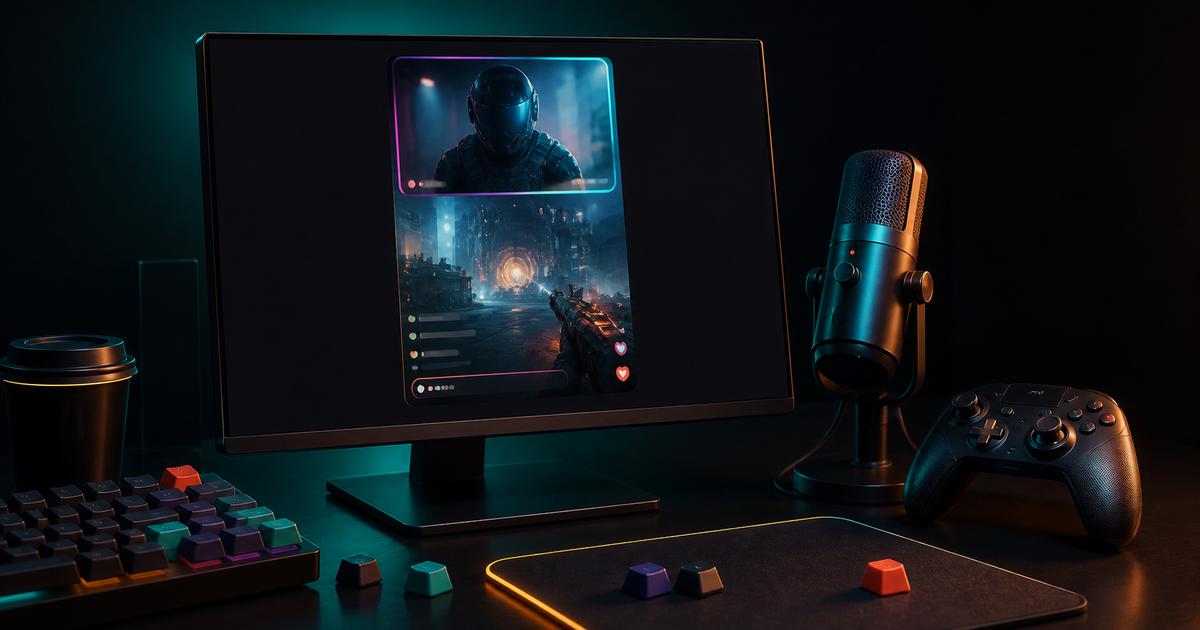
To stream games on TikTok LIVE, first decide where the game runs, because that picks your capture route. A PC game goes in through a game, window or display capture. A console needs a capture card. A phone game is cast to the computer or streamed from the phone itself. Then fit the picture to a portrait screen. TikTok's own layout advice is to scale gameplay to the full width and give it at least a quarter of the height.
Everything below comes from TikTok's LIVE Studio Help Center and OBS's knowledge base, read on 12 November 2026. The game-by-game guides and hardware setups are collected in the TikTok LIVE gaming guides.
Three capture routes, one per kind of device
| Where the game runs | Source in LIVE Studio | Source in OBS | Guide |
|---|---|---|---|
| The streaming computer | Game capture, Window capture or Display capture | Game Capture (Windows), Window Capture, Display Capture or macOS Screen Capture | Game pages in this hub |
| A console or second PC | Capture card | Video Capture Device | Capture card setup |
| A phone | Cast (iOS) or Cast (Android) | No built-in phone source | Mobile games |
Two devices sit between these rows. A Steam Deck can run OBS itself or feed a capture card like a console. An emulator is a PC game with pixel-art scaling problems, covered in the retro games guide. A VR headset needs its view on the computer before any of this. The game-by-game streaming guides cover the Deck's two routes, casting a Meta Quest into OBS, and built-in console broadcasting set against a card. Publishers also set rules on footage, and the GTA V guide in that collection shows how narrow Rockstar's is.
TikTok's description of the Game capture source says it may not be compatible with all games. OBS keeps a list of titles that need special handling, and it's short. Call of Duty and Genshin Impact need OBS run as administrator, Roblox wants Window Capture, and League of Legends needs two scenes. The game pages in this hub start from that list.
Size the stream for the computer you have
TikTok publishes three PC tiers for LIVE, and the resolution and frame rate go up with the hardware.
| TikTok tier | CPU | GPU | Memory | Resolution and frame rate |
|---|---|---|---|---|
| Entry | Intel Core i5-10400 | NVIDIA GTX 1650 Super | 8 GB | 720p, 30 FPS |
| Intermediate | Intel Core i7-10700K | NVIDIA RTX 2060 | 16 GB | 1080p, 30 or 60 FPS |
| Advanced | Intel Core i9-10900K | NVIDIA RTX 3080 | 32 GB | 1080p, 60 FPS |
LIVE Studio's quality page labels its 1080P60 and 720P60 presets as ideal for gaming, and recommends 45 or 60 frames per second for fast action. It also recommends hardware encoders, which move encoding onto the graphics card.
If your computer sits near the Entry row, stream at 720p and let the game keep its frame rate. One GTX 1650 Super running both the match and the encoder has little to spare, and a stuttering game makes a worse stream than a softer picture. For OBS users, the OBS settings guide for TikTok sets the canvas, encoder and bitrate.
Fit a wide game into a tall screen
Most games draw a 16:9 picture, and a phone held upright is the opposite shape. TikTok's layout guide says what gives. In portrait, scale the gameplay to fill the full width of the screen, at a minimum of one quarter of its height.
That leaves the rest of the frame for a camera and widgets. TikTok recommends giving the facecam its own area in portrait, centered and at full size. Widgets go in a separate section rather than on top of the game. In landscape it's the reverse: the game goes full screen and the camera sits in a corner, between 1/16 and 1/9 of the screen.
There's one more setting, called screen adaptation. TikTok suggests Fit to screen for gaming, which keeps the whole picture but can leave black bars, and fill for everything else. The vertical layout guide builds the same split in OBS, with crops and a camera band.
Check the frame before you go live
- Start the game the way you'll play it on stream, windowed, borderless or fullscreen, before you add the capture source.
- Add the capture source for your route and confirm the preview moves. A frozen or black preview is a capture problem; fix it before you touch the layout.
- Set the game's width and height in the portrait frame, then place the camera and any widgets in the space left over.
- Open the mobile preview in LIVE Studio, or record a short test in OBS and play it on your phone.
- Read the in-game text at phone size. If you can't read the ammo count or minimap, crop tighter or give the game more height.
A fullscreen game is the usual trap. OBS notes that a game in full-screen mode stops rendering when you alt-tab out, so the capture freezes the moment you click over to check chat. Borderless avoids it. If the preview is black from the start, the game capture black screen guide works through OBS's fixes in order.
When the game and the stream share one computer
TikTok's LIVE Studio troubleshooting guide, updated 19 August 2026, says most lag comes from system overload, and its gaming fixes are specific. Work down this list before you blame the network.
- Cap the game's frame rate. If the game or other software uses over 80% of the CPU, memory or GPU, TikTok says a limit such as 30 or 60 fps usually helps.
- Lower the game's graphics settings or resolution.
- If the computer has two graphics chips, run LIVE Studio on the faster one.
- Update the graphics driver and turn on Hardware-accelerated GPU Scheduling in Windows settings.
- Keep the game and LIVE Studio on the same display if you use more than one.
- If one game still misbehaves, try a different rendering engine in its settings, such as DX12 instead of Vulkan.
Step 1 is the one people resist, because a high frame rate feels like the point of a gaming PC. TikTok's own presets top out at 60 frames per second, so frames the game renders above that never reach a viewer. They only take GPU time from the encoder.
Chat is the other single-computer problem. TikTok's FAQ says the pop-out LIVE chat box may not appear over a fullscreen game. Switch the game to borderless or windowed mode, then pop the chat out again. That's the same change that stops a fullscreen capture freezing on alt-tab.
Set the LIVE up as a gaming stream
The capture is only half of it. TikTok's first-impression guide for LIVE Studio, updated 9 September 2025, gives two steps for a gaming LIVE. Choose the LIVE topic that matches the game you're playing, and stream with your camera on. It also suggests putting your game and schedule in your title and About me. The topic is how a viewer browsing that game finds you, so set it every time you switch games.
TikTok's guidelines for LIVE creators recommend being on screen with your face visible, though they don't make a camera mandatory for gaming. If you play without one, give the frame something live besides the game, such as a chat box or a goal bar. Never leave a blank scene: TikTok warns that LIVE streams with no source may be suspended.
When one computer isn't enough
If the game and the encoder fight for the same graphics card, the options are a lighter preset, a hardware encoder, or a second machine. The dual PC setup guide covers the second-machine route and what it costs in cables and audio routing. Try the first two before buying anything.
TikTok's own advice on choosing what to play is blunt about the trade: popular games bring more viewers and more competition, and lesser-known ones bring fewer of both. Pick the capture route first and the game second, then open that game's page here, such as Minecraft or Roblox, for the settings that one needs.
Gaming on TikTok LIVE, quick answers
What frame rate should a gaming stream on TikTok use?
TikTok's LIVE Studio quality guide recommends 45 or 60 frames per second for gaming and fast action. It labels its 1080P60 and 720P60 presets as ideal for gaming LIVEs. Its Entry PC tier lists 30 FPS, so a lower-end computer may need to stay at 30.
How much of a portrait TikTok screen should gameplay take up?
TikTok's layout guide says to scale gameplay to the full width of the screen and recommends a minimum height of one quarter of the screen. The rest can hold a camera and widgets in their own sections.
Can you stream PC games on TikTok LIVE?
Yes, once TikTok has approved your account for computer streaming. In LIVE Studio, add a Game capture, Window capture or Display capture source for the game. In OBS, use the equivalent capture with a stream key from TikTok LIVE Center. TikTok says Game capture may not work with every game, so Window capture is the usual fallback.
Why does my game lag when I stream on TikTok LIVE?
TikTok's LIVE Studio troubleshooting guide says most lag comes from system overload. Cap the game's frame rate at 30 or 60, lower its graphics settings, close other software, and use a hardware encoder. If frame drops rise while the game runs smoothly, check background downloads and lower the stream's bitrate or resolution instead.
How do I see TikTok LIVE chat while playing a game?
LIVE Studio can pop the chat box out into its own window. TikTok's FAQ says that if the pop-out doesn't appear, the game is probably fullscreen; switch it to borderless or windowed mode and pop the chat out again. With two displays, keep the game and LIVE Studio on the same one, as TikTok's troubleshooting guide suggests.
What PC do I need to stream games on TikTok LIVE?
TikTok's Entry tier is an Intel Core i5-10400 with a GTX 1650 Super and 8 GB, for 720p at 30 FPS. The Intermediate tier, an i7-10700K with an RTX 2060 and 16 GB, covers 1080p at 30 or 60, and only the Advanced tier reaches 1080p60 as standard.
Why does my game freeze on stream when I alt-tab?
OBS notes that a full-screen game stops rendering when you alt-tab out, so the capture freezes. Run the game in borderless or windowed mode instead.
Should I cap my game's frame rate when streaming on TikTok?
Yes, if the game or other software uses over 80% of the CPU, memory or GPU. TikTok says a limit such as 30 or 60 fps usually helps, and its presets top out at 60, so extra frames never reach viewers.
Which LIVE topic should I pick for a gaming stream?
The topic that matches the game you're playing, changed every time you switch games. The topic is how viewers browsing that game find you, and TikTok also suggests putting your game and schedule in your title and About me.
Which games are hard to capture for a TikTok stream?
OBS's list of titles that need special handling is short. It names Call of Duty and Genshin Impact for running OBS as administrator, Roblox for Window Capture, and League of Legends for a two-scene setup.
Sources
11 sources, checked November 15, 2026
Platform and app documentation changes. These sources were checked on the dates shown.
- TikTok LIVE Studio Help Center: What's a source?, checked November 12, 2026
- TikTok LIVE Studio Help Center: Build your LIVE kit, checked November 12, 2026
- TikTok LIVE Studio Help Center: Adjust LIVE quality, checked November 15, 2026
- TikTok LIVE Studio Help Center: Adjust the scene layouts of your LIVE, checked November 15, 2026
- TikTok LIVE Studio Help Center: Use screen adaptation, checked November 12, 2026
- TikTok LIVE Studio Help Center: Choose your LIVE content, checked November 12, 2026
- TikTok LIVE Studio Help Center: LIVE Studio Troubleshooting Guide, checked November 15, 2026
- TikTok LIVE Studio Help Center: FAQ, checked November 15, 2026
- TikTok LIVE Studio Help Center: Learn to make a strong first impression, checked November 15, 2026
- TikTok LIVE Studio Help Center: Community Guidelines for LIVE creators, checked November 15, 2026
- OBS Knowledge Base: Game Capture Troubleshooting, checked November 12, 2026
Set up your TikTok LIVE in a few clicks
Pick what gifts, follows and chat commands should do, add WaveSync to LIVE Studio, OBS or Streamlabs, and send a test before you go live. Sounds, games, alerts and text-to-speech are each a click or two away. The Free plan runs 5 actions and reads chat aloud, with no card needed.
Open WaveSync →