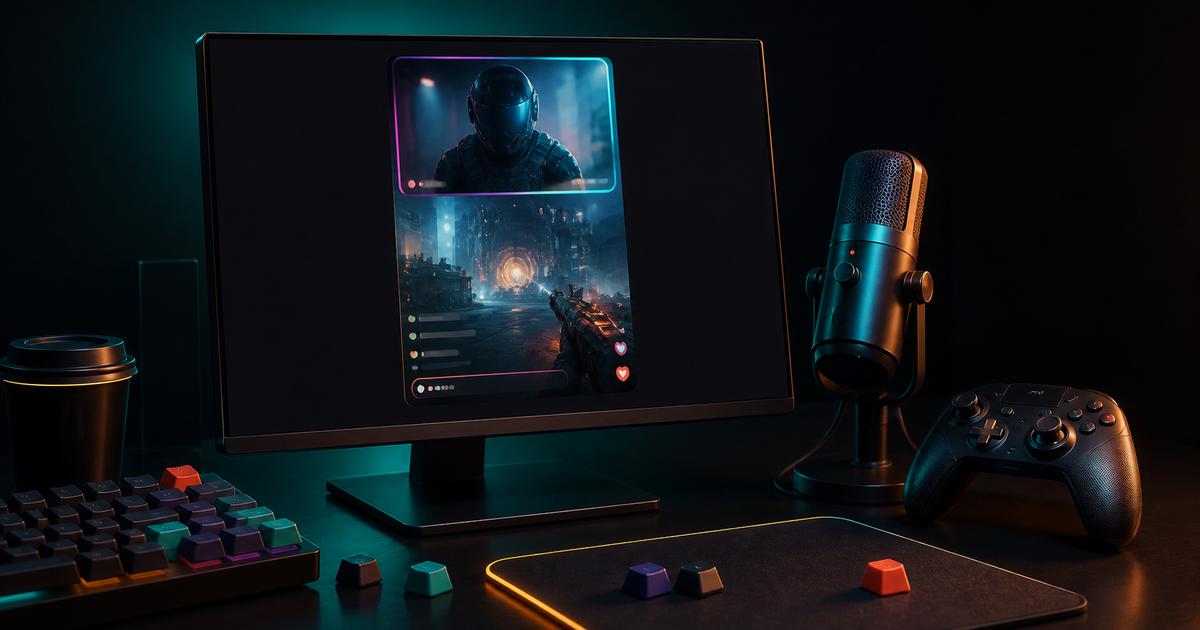
To stream Call of Duty on TikTok LIVE from a Windows PC with OBS, close OBS and reopen it with Run as administrator before adding Game Capture. OBS's knowledge base names Call of Duty as a game that needs it, and without it the capture may not work. On a console, you need a capture card, because neither the PS5's nor the Xbox's built-in broadcasting lists TikTok. Then crop for a portrait screen without losing the minimap.
From OBS's game capture troubleshooting page, PlayStation Support, Xbox Wire and TikTok's LIVE Studio Help Center, read 12 to 15 November 2026. The rest of the shooter and console guides sit in the TikTok LIVE gaming guides.
On PC: administrator first
OBS's list of games with known capture issues gives Call of Duty one instruction: run OBS Studio as administrator. The same page says select games need it to be captured properly, and that it can also help performance.
- Close OBS completely.
- Right-click the OBS shortcut and choose Run as administrator.
- Start the game in borderless or windowed mode if you'll be alt-tabbing. OBS notes that a full-screen game stops rendering when you alt-tab out.
- Add Game Capture and pick the Call of Duty window.
If it's still black after that, the next suspects on OBS's list are overlays, FPS counters and antivirus. The game capture black screen guide goes through them in order.
In TikTok LIVE Studio, the equivalent is the Game capture source. TikTok's description says it may not be compatible with all games; if it won't pick up Call of Duty, Window capture is the fallback.
Two settings in that source are worth a try first. TikTok's capture article, updated 10 November 2026, offers Capture any full-screen game or Capture selected game. Pick the second and choose Call of Duty, since it keeps following that game while its window stays open. Then, if the preview is still black, Higher compatibility swaps to memory capture. TikTok says memory capture is less efficient, which in a shooter means frames, so use it only if nothing else hooks.
On console: a capture card, not the share button
PlayStation's broadcast feature sends to linked services, naming YouTube and Twitch, and Sony's page warns that depending on the game some scenes may not appear to your viewers. Xbox's built-in live streaming goes to Twitch. Neither lists TikTok.
So a console player streaming to TikTok runs the console through a capture card into a computer. TikTok suggests starting the console at 1080p, 60 Hz, SDR, and using the card's HDMI OUT for passthrough so you play on the TV without the preview's delay. In a shooter that delay is the difference that matters. The capture card setup guide has the wiring, and the PS5 HDCP switch that blacks out the picture if it's left on. If you'd rather use the console's own broadcast to Twitch or YouTube, the EA Sports FC guide in the game-by-game streaming guides walks through both consoles' built-in steps.
Call of Duty: Mobile
Call of Duty: Mobile on a phone takes a different route: cast the phone into TikTok LIVE Studio on a computer, which then does the streaming. Add a Cast (iOS) source, which uses the iPhone's Screen Mirroring, or Cast (Android), which connects through the TikTok app. TikTok recommends a cable when Wi-Fi isn't stable, and a dropped cast mid-match is the failure you most want to avoid.
TikTok's tips for a cast suit a shooter: Do Not Disturb so a message doesn't cover the screen during a fight, a locked orientation, and a charger. Lock it in landscape before the first match. The mobile games guide covers casting in full, including the in-app route.
Frame rate and the computer you have
TikTok recommends 45 or 60 FPS for gaming and fast action. A fast shooter at 30 looks juddery on camera pans, so aim for 60 if the computer can hold it.
On a single PC near TikTok's Entry tier, we'd give the game priority. Cap the game's frame rate, which OBS's encoding guide recommends when the graphics card is overloaded, and stream at 720p60 rather than 1080p. A player losing gunfights to a stuttering game is worse to watch than a slightly softer picture. A second PC is the other answer; the dual PC setup guide covers it.
Portrait crop for a shooter HUD
A portrait crop trims the sides first, so check a recording for where your HUD puts the minimap and kill feed before cutting anything. Start with the full 16:9 picture across the width. Crop only if the action in the center is too small to follow on a phone.
TikTok's layout advice for portrait puts the camera in its own area rather than over the game. In a shooter that also keeps your face off the crosshair. The vertical layout guide has crop sizes and the OBS shortcuts.
Names on screen
Your stream shows your gamertag and other players' names, which is how stream snipers find you. We couldn't confirm Call of Duty's current name-hiding options from Activision's own pages, so look through the game's settings yourself before relying on one. Other publishers document theirs: Apex Legends has a Streamer Mode, Valorant has privacy options, and Fortnite has two name toggles in its Gameplay Privacy settings. A stream delay works whatever the game; the Counter-Strike 2 guide sets one up.
Before going live, record a short match and watch it on your phone. If the kill feed or minimap is unreadable, give the game more height before you go public.
TikTok's LIVE rules that catch gaming streams
LIVE Studio's Community Guidelines page, updated 11 February 2025, has a few rules that trip up streamers coming from Twitch or YouTube.
- No information from a third-party platform. TikTok says not to show it, and to avoid text sources with third-party platform details or links. An overlay that still shows your Twitch handle counts.
- No QR codes on screen.
- Be present. TikTok recommends staying on screen with your face visible, and says a no-face effect can read as low interaction.
- Pause rather than leave. If you step away between matches, use Pause LIVE from the end LIVE button; TikTok says stepping away too long may be seen as a lack of engagement.
- No blank screen. A black capture left running while you fix it is the case to watch for.
Our view: the camera rule matters most for a shooter stream, where it's tempting to run gameplay alone. Keep the camera band in every scene, including the lobby. A second streaming PC keeps that camera off the gaming PC if frames are tight.
Call of Duty on TikTok questions
Can you stream Call of Duty Mobile on TikTok LIVE?
Yes. The steadier way is casting the phone into TikTok LIVE Studio on a computer: Cast (iOS) uses Screen Mirroring, and Cast (Android) connects through the TikTok app. Use a cable if your Wi-Fi isn't stable. Turn on Do Not Disturb, lock the phone in landscape and keep it charging before the first match.
Why is Call of Duty black in TikTok LIVE Studio?
Start with administrator mode, which OBS's knowledge base lists for Call of Duty. In LIVE Studio's Game capture source, choose Capture selected game and pick the game. If the preview stays black, try Higher compatibility, which TikTok says uses less efficient memory capture. Window capture is the last fallback.
Can I show my Twitch name on a TikTok LIVE?
TikTok advises against it. Its LIVE Studio Community Guidelines say not to show information from a third-party platform, and to avoid text sources containing third-party platform details or links. Remove the Twitch handle, and any QR code, from overlays you reuse from another platform before you go LIVE on TikTok.
Do I need to run OBS as administrator for Call of Duty?
Yes. OBS's list of games with known capture issues gives Call of Duty one instruction: run OBS Studio as administrator. Close OBS completely, then right-click its shortcut and choose Run as administrator.
Can I stream Call of Duty from a PS5 or Xbox to TikTok?
Only through a capture card into a computer. PlayStation's broadcast feature names YouTube and Twitch, and Xbox's built-in streaming goes to Twitch, so neither sends to TikTok.
What frame rate should I stream Call of Duty at on TikTok?
Aim for 60 if the computer can hold it, since TikTok recommends 45 or 60 FPS for gaming and fast action. On a single PC near TikTok's Entry tier, cap the game's frame rate and stream at 720p60.
How do I hide my gamertag on a Call of Duty stream?
We couldn't confirm Call of Duty's current name-hiding options from Activision's own pages, so check the game's settings yourself. A stream delay works whatever the game offers.
How do I crop Call of Duty for a vertical TikTok LIVE?
Start with the full 16:9 picture across the width, and crop only if the action is too small to follow on a phone. Check a recording first for where your HUD puts the minimap and kill feed, since a portrait crop trims the sides.
Can I stream Call of Duty on TikTok without a camera?
You can, but TikTok's LIVE Studio Community Guidelines recommend staying on screen with your face visible and say a no-face effect can read as low interaction. Keep a camera band in every scene, including the lobby.
What should I show between matches on a TikTok LIVE?
Stay on camera, or use Pause LIVE from the end LIVE button if you step away. Never leave a black or blank capture running, which TikTok's rules list as something not to do.
Sources
10 sources, checked November 15, 2026
Platform and app documentation changes. These sources were checked on the dates shown.
- OBS Knowledge Base: Game Capture Troubleshooting, checked November 12, 2026
- OBS Knowledge Base: Encoding Performance Troubleshooting, checked November 13, 2026
- PlayStation Support: How to stream gameplay with Broadcast on PS5 consoles, checked November 12, 2026
- Xbox Wire: Xbox live streaming with Twitch, 23 February 2022, checked November 12, 2026
- TikTok LIVE Studio Help Center: What's a source?, checked November 12, 2026
- TikTok LIVE Studio Help Center: Add a capture source to share your computer screen, checked November 15, 2026
- TikTok LIVE Studio Help Center: Add a cast source to share your phone screen, checked November 15, 2026
- TikTok LIVE Studio Help Center: Community Guidelines, checked November 15, 2026
- TikTok LIVE Studio Help Center: Adjust LIVE quality, checked November 15, 2026
- TikTok LIVE Studio Help Center: Capture card connection guidelines for going LIVE with console games, checked November 13, 2026
Set up your TikTok LIVE in a few clicks
Pick what gifts, follows and chat commands should do, add WaveSync to LIVE Studio, OBS or Streamlabs, and send a test before you go live. Sounds, games, alerts and text-to-speech are each a click or two away. The Free plan runs 5 actions and reads chat aloud, with no card needed.
Open WaveSync →